Kamis, 21 April 2016

Can You Build Application and Go Live in Six Months?

The answer is Yes we can, if:


  • We have the Operations Team with the concept of mature business processes and understand the systems approach when transform a manual process into the IT system.
  • You are an experienced developer and willing to adopt the best standards.
  • You have the end-user militant to jointly perform data entry and testing of applications, and then use it in everyday transactions.
  • Full support of the company's management.

  • I post this to share how to build an aplication with the concept of RAD (Rapid Application Develoment) can be achieved. Four factors I described above should be synergized to get there, if you are in the position of the second factor (as developers) usually have a tendency of less expensive non-technical factors, can be guaranteed not to be. As well as any best software you have if no synergy of all four of these factors it is not unattainable.

    Okay, to measure the success of an app I would narrow the parameters of what is called success :
    • Applications have Go Live and in use in everyday transactions replace existing manual processes
    • Maintaining business continuity between the actual processes and processes used in the IT application.
    Process & Team

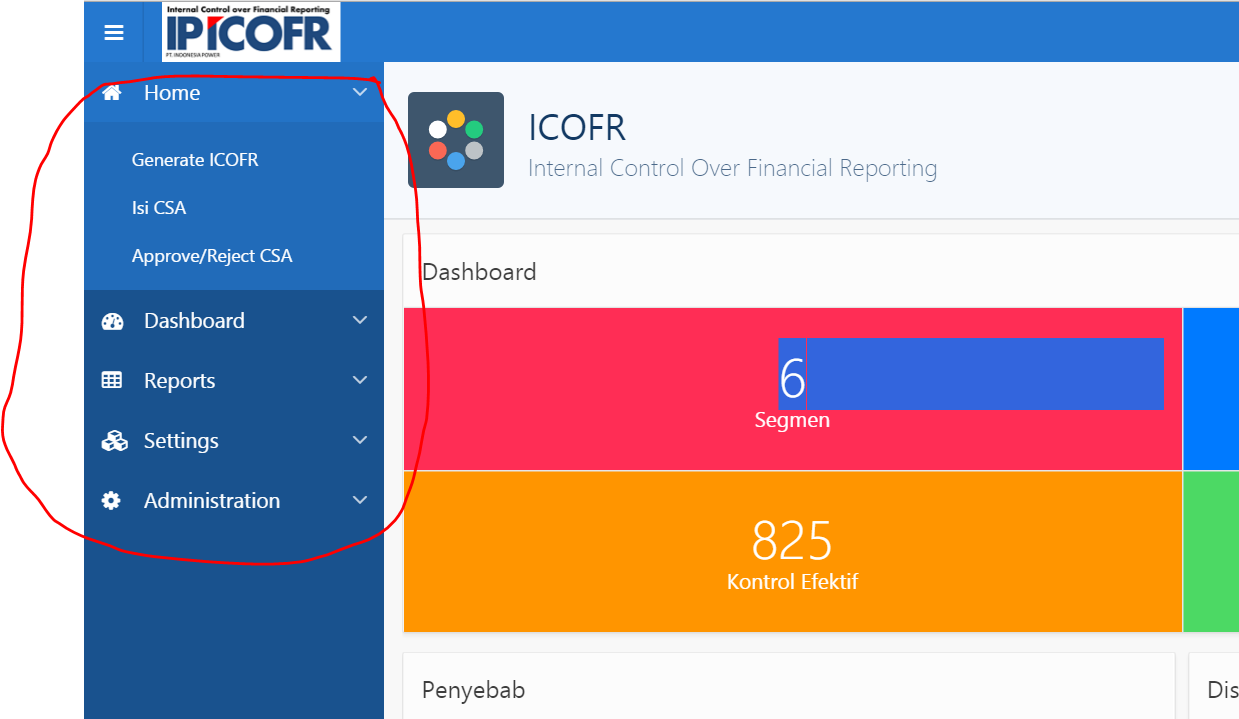
    This is an example of a case when building an application "Tailor-Made" called IP-ICOFR CSA Online, I was fortunate enough to do so by a synergy of the four factors that I mentioned earlier.

    I would normally ask for a team that includes: business analyst, I as a developer and other components depending on the needs will be called "Operation Team". This team will become one entity, no longer act as lonely developer, despite the fact that I am the only developer :D, but to the unity of IT application system will be talking about all the problems and decided by this team.

    For myself, I do the following:
    • Provide enough time to build the Blue-print business process applications, with interview and fairly intensive discussion, do not rush to the design phase of the application until the blue-print is obtained.
    • To the business analyst I ask: "Do not let me do the assumptions of a process, give me certainty"
    • Do not always accept an idea without giving an alternative that is better if there is one. Because the business user perspective they should also be viewed and considered how it goes in the IT system.
    • Study the business processes in depth so that we will be able to predict how these applications will evolve in the future.
    • Mutual open to understanding ideas and receive feedback about how the system they will be built.
    From the Operation Team: Business Analyst side
    • Giving a good presentation to the management about: the staging, the process, the planned schedule, and asked for support for every phase of which will be run.
    • Understand that there are stages that will be achieved requires the process to be accommodated in a certain phase, it will not necessarily have to be adopted at that time.
    • All demand/request for features will be through team and filter based on: the need, and readiness phase. I relayed: "I just listen to one side, namely through Operation Team".
    • Always provide certainty of process, if still doubt be delayed until absolutely sure as to what it should be.
    Finally, with hard work and synergies of these four factors we succeeded in realizing a Go Live application within 6 months, which has been implemented into the entire units of PT. Indonesia Power
    • Kantor Pusat (Headquarters)
    • Unit Jasa Pemeliharaan
    • UJP Banten 1 Suralaya
    • UJP Banten 2 Labuan
    • UJP Banten 3 Lontar
    • UJP Banten 4 Cilegon
    • UJP Pelabuhan Ratu
    • UJP Adipala
    • UJP Pangkalan Susu
    • UPJP Priok
    • UP Suralaya
    • UP Saguling
    • UPJP Kamojang
    • UP Mrica
    • UP Semarang
    • UP Perak Grati
    • UPJP Bali
    Rundown Phase
    • 01 Nopember 2015 : Kick Off Project


  • 27-29 Januari 2016 : Workshop/UAT (Operation Team Level) - Bandung
  • 17-19 Februari 2016 : Workshop/UAT (User Admin Level) - Semarang
  • 11-15 April 2016 : Workshop/UAT (End User Level) - Bali
  • 21-23 April 2016 : Go Live (Indonesia Power's Annual Financial Forum 2016) – Jogjakarta


  • Technology
    • Oracle Application Express (APEX) 5.0.3.00.03 with ORDS Listener 3.0.2.294.08.40
    • Oracle Database Enterprise Edition Release 12.1.0.2.0 - 64bit (Linux Redhat)
    • Oracle WebLogic Server 12.2.1.0.0
    • Oracle BI Publisher 11.1.1.6.8

    Features
    • Flexible Setup : BPM & Hierachy Team
    • Multiplatform browser
    • Responsive Web Design
    • Email notification & Subscription
    • Interactive Reports
    • Multi format Report
    • Online Video tutorial

    ICOFR- Control Self Assesment References

    Kamis, 19 November 2015

    How to Utilize APEX Navigation List Into an Object Security

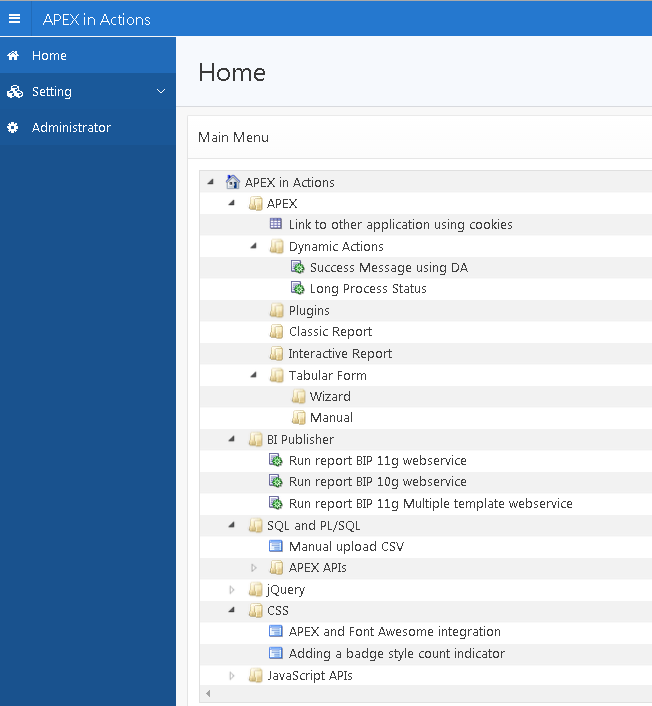
    Long time ago before APEX 5 release, i am prefer using tree as main navigation. Now APEX 5 offer us more awesome style using list as main navigation.
    Ok let me show you to adopt this APEX view as authorization scheme to view/access menu base on role granted by main navigation menu which is APEX_APPLICATION_LIST_ENTRIES

    1. Display APEX_APPLICATION_LIST_ENTRIES as tree
      • The Query
      •  select case when connect_by_isleaf = 1 then 0
                    when level = 1             then 1
                    else                           -1
                end as status
              , level
              , entry_text as title
              , entry_image as icon
              , list_entry_id as value
              , null as tooltip
              , null as link
           from APEX_APPLICATION_LIST_ENTRIES
          where application_name = 'APPS_NAME'
            and list_name = 'List name'
          start with list_entry_parent_id is null   
        connect by 
          prior list_entry_id = list_entry_parent_id
          order siblings by display_sequence
        
      • Use same icon as List
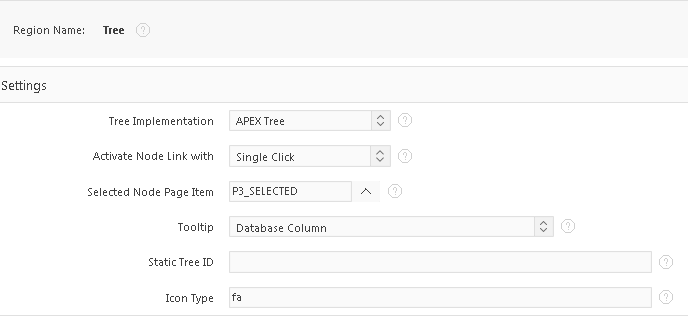
      • change this : Region Attributes >> Settings >> Icon Type : fa
      • Display List as Tree
    2. Use on role entry
    3. Create Authorization scheme base on role
    4. Use Authorization on pages, list

    Sabtu, 07 November 2015

    Can you show us the prototype as soon as possible?

    Usually after business process requirement, immediately user ask me such a question "Can you show us the prototype as soon as possible? ".

    With power of Oracle APEX 5 using universal theme. You can provide quickly "Yes i will deliver presentation and prototype tomorow :D

    Yes we can, with Universal Theme (Vista) responsive design and style from sample database application now you can create prototyype easily.


    This is why Oracle APEX claiming as RAD methodology :D

    Senin, 04 Mei 2015

    Oracle APEX Evangelist at e-35 20 Years Reunion


    Twenty years ago we had such a great memories as student of Electrical Engineering Sepuluh Nopember Institute of Technology (ITS). at Sativa Hotel Trawas for 3 days we meet again as professional in wide range field of Industries : Sales, IT, HR, Telco, Entrepreneur and etc.

    Mr. Taufik Ardi Nugroho as Event Organizer gives me a chance to deliver presentation in IT session : Oracle Application Express as IT Solutions and Business Opportunities.


    What a moment, i will miss you guys !!!

    Sabtu, 25 April 2015

    New Development Environment: Oracle 12c, APEX 4.2.6, APEX 5, ORDS 3.0 and Tomcat 8

    APEX 5 now release into production with big impact and wow features, as part of continuous learning process, now I am preparing new development environment on my laptop (Windows 8.1 SL).
    Oracle Database 12c enable to create separated environment with multiple APEX version in a single db instance. APEX 4.2.6 is my recent stable applications and APEX 5 as new learning development.

    Dev Environment:
    • APEX 4.2.6 on PDB426
    • APEX 5 on PDB500


    Installation
    • Create 2 PDB : PDB426 and PDB500
    • Uninstall apex on CDB
    • Install APEX 4.2.6 on PDB426 with images /i/
    • Install APEX 5 on PDB500 with images /i5/
    • Setup ORDS as APEX4 for APEX 4.2.6 container => change ords.war to apex4.war
    • Setup ORDS as APEX5 for APEX 5 container => change ords.war to apex5.war
    ORDS installation Tomcat 8 :
    • Unzip Ords into temp directory : C:\temp\apex4 and C:\temp\apex5

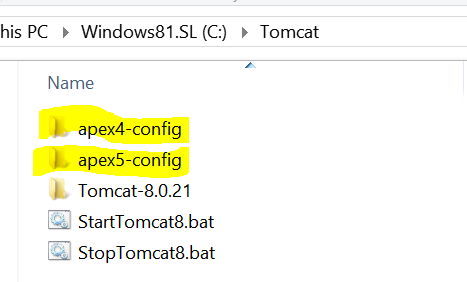
    • Create separated config directory for each apex version : C:\Tomcat\apex4-config and C:\Tomcat\apex5-config.

    • Install ords for each version
    • Copy apex4.war and apex5.war to \tomcat-home\webapps

    • Copy APEX images to  \tomcat-home\webapps\ROOT don't forget to change images into i and i5 folder

    • Run Tomcat and enjoy :D
    Now you have 2 APEX version in single instance
    • APEX 4.2.6 : http://localhost:8080/apex4/f?p=4550:1

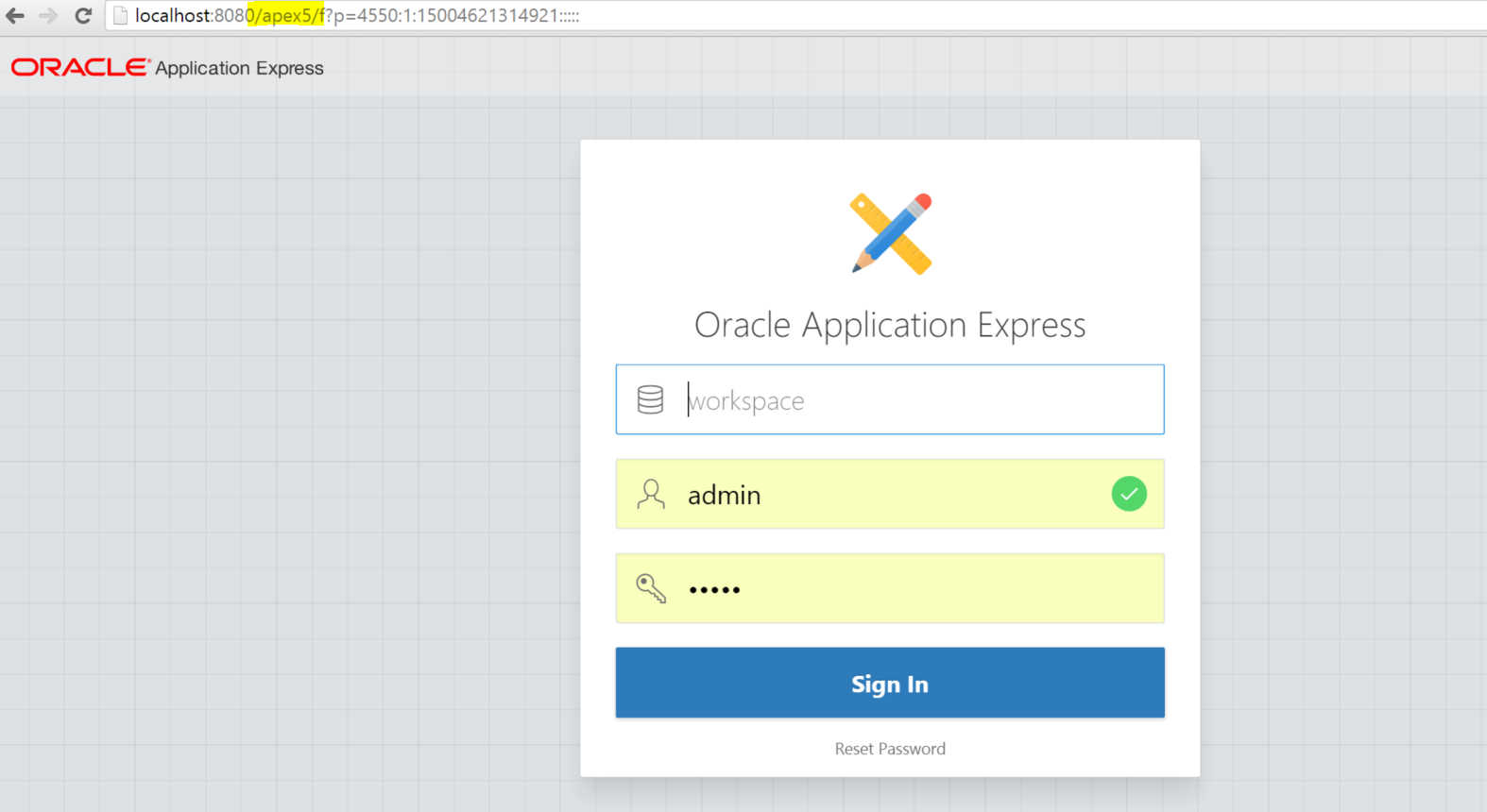
    • APEX 5 : http://localhost:8080/apex5/f?p=4550:1

    Selasa, 03 Februari 2015

    How to use modal pop-up region

    APEX telah menyediakan banyak contoh applikasi, salah satunya adalah Sample Dialog. Disitu kita akan belajar tentang bagaimana memakai dialog dengan teknik jQuery UI atau Custom Modal region untuk theme 25.

    Namun untuk kasus modal region kita akan lihat bahwa modal dialog default adalah false. 
    oh ya..saran saya jika kita memakai Theme 25 untuk membangun applikasi lebih baik kita bangun dialog dengan memakai region modal jangan memakai UI dialog biasa untuk pertimbangan estetika tampilan yg lebih oke. Untuk membuat modal dialog menjadi "true" maka tambahkan kode berikut saat memanggil regionnya.
    function(){
      openModal('addDept');
      gBackground.off('click');
    }
    
    Untuk pemakaian dalam form process pop-up, nanti saya akan posting dengan kombinasi iFrame.

    Note : Terima kasih buat bro Hoki yang telah men-debug dan mencarikan solusinya.

    APEX 5 Tree Enhancement

    APEX Early Adopter 3 telah release, kemaren telah terdaftar dan mencoba nya. Banyak sekali peningkatan yang signifikan dalam versi ini, yang paling ingin saya coba adalah universal theme.

    Berikut beberapa ujicoba yang telah saya lakukan.

    • Mencoba implementasi jstree terbaru ke dalam APEX. dalam hal ini kita memperoleh feature
      • APEX dapat menerima file zip library dan otomatis di unzip kedalam Static Workspace Files.
      • Kita tidak perlu merubah referensi apapun di file CSS, tinggal pakai seperti halnya kita melakukan zip di file explorer.
    • Mencoba APEX tree.
      • Ada jenis tree baru yaitu : APEX Tree
      • APEX tree bisa memakai custom vector icon seperti font-awesome
      • Contoh query
      •  select case 
                  when connect_by_isleaf = 1 then 0
                  when level = 1             then 1
                  else                           -1
                end as status 
              , level
              , m.description as title
              , case 
                  when m.status = 'X' then 'fa-home fa-lg'
                  when m.status = 'M' then 'fa-folder-open-o fa-lg'
                  when m.status = 'F' then 'fa-book fa-lg'
                  when m.status = 'R' then 'fa-table fa-lg'
                  when m.status = 'T' then 'fa-tasks fa-lg'
                  when m.status = 'C' then 'fa-bar-chart fa-lg'
                  when m.status = 'S' then 'fa-cubes fa-lg'
                end as icon
              , m.id as value
              , m.tooltip as tooltip
              , 'f?p=&APP_ID.:&APP_PAGE_ID.:&SESSION.::::P3_ID,P3_SELECTED:'||m.id||','||m.id as link 
           from my_menu m
          start with m.status = 'X'
        connect by prior m.id = m.parent_id
          order siblings by m.SEQ